Effective Methods to Eliminate Watermarks from Your Images
Key Takeaways
- Explore desktop tools like HitPaw and Apowersoft for high-quality watermark removal
- Discover online options such as Aiseesoft and Inpaint for quick, no-download solutions
- Learn about mobile apps like PhotoDirector for Android and Object Removal for iOS
- All methods maintain original image resolution and offer user-friendly interfaces
- HitPaw Watermark Remover stands out for its advanced AI-powered features and free trial
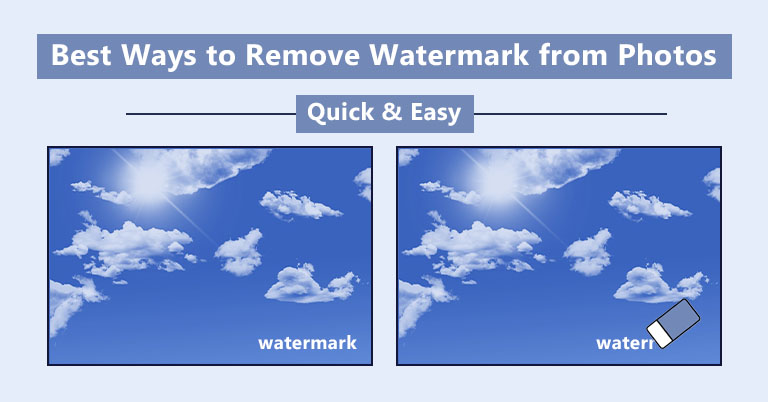
Removing watermarks from images can be necessary when you want to use downloaded pictures for personal projects without the owner's branding. Fortunately, several effective tools and applications are available for desktop, online, and mobile platforms. Below, we outline the best options and provide clear, step-by-step instructions for each method.
Desktop Solutions
HitPaw Watermark Remover
HitPaw Watermark Remover is a powerful desktop application that excels at eliminating watermarks without compromising image resolution. This tool uses advanced AI technology to remove logos, texts, stamps, and other unwanted elements. It offers five AI-powered modes: AI Model, Matte Filling, Color Filling, Smooth Filling, and Gaussian Blur, allowing users to achieve clean, natural-looking results. The software features an automatic detection system, supports multiple image and video formats, and provides a 100% success rate. A brilliant free trial version is available, making it a risk-free option for users.
How to use HitPaw Watermark Remover
- Download and install HitPaw Watermark Remover from its official website.
- Launch the program and select “Remove Image Watermark.”
- Import the image containing the watermark you wish to remove.
- Choose one of the five AI-powered modes to eliminate the watermark.
- Adjust the selection area and click “Remove & Export” to save the edited image.
For those who prefer online solutions, HitPaw also offers a web-based version called HitPaw Online Watermark Remover, enabling users to remove watermarks from videos without installing software.
Apowersoft Watermark Remover
Apowersoft Watermark Remover is another robust desktop application that removes watermarks while preserving the original image resolution. It features a user-friendly interface and supports batch processing, allowing users to handle multiple images simultaneously. The tool employs smooth, blue-based techniques to erase emojis, logos, and other unwanted objects.
How to use Apowersoft Watermark Remover
- Download and install Apowersoft Watermark Remover from its official website.
- Open the software and import the images you want to edit by clicking “Add Images.”
- Highlight the area containing the watermark and click “Convert” to remove it.
Online Tools
Aiseesoft Free Watermark Remover Online
Aiseesoft Free Watermark Remover Online is a convenient web-based solution for removing watermarks without downloading software. This tool can eliminate graphic logos, camera date stamps, text, and other unwanted elements. It features an intuitive interface and three different modes to suit various needs.
How to use Aiseesoft Free Watermark Remover Online
- Visit the official website of Aiseesoft Free Watermark Remover Online.
- Click “Upload Image” and select the picture you want to edit.
- Choose one of the three available modes and remove the watermark.
Inpaint
Inpaint is another excellent online tool for removing watermarks. It supports multiple image formats, including WebP, PNG, and JPG, and can handle batch processing for multiple images. Inpaint also offers additional features, such as repairing old photos, deleting unwanted objects, and removing skin blemishes.
How to use Inpaint
- Go to the Inpaint website.
- Click “Upload Image” and choose the photo you want to edit.
- Use the “Maker Tool” to select and remove the watermark area.
- Download the cleaned image to your device.
Mobile Applications
PhotoDirector [Android]
PhotoDirector is a versatile Android app for removing watermarks. It features a straightforward interface and requires only a few steps to complete the task.
How to use PhotoDirector
- Install PhotoDirector from the Google Play Store.
- Open the app and import the image you want to edit.
- Tap the “Tools” option and select the “Removal” icon.
- Adjust the removal area and save the edited image to your device.
Object Removal [iOS]
Object Removal is an advanced iOS application that leverages AI to automatically detect and remove watermarks. It provides a seamless experience for iPhone users.
How to use Object Removal
- Download Object Removal from the App Store.
- Import the image containing the watermark.
- The app can either automatically detect the watermark area or allow manual selection.
- After removal, download the cleaned image to your device.
Conclusion
Eliminating watermarks from images has become straightforward thanks to a variety of tools and applications available for desktop, online, and mobile platforms. Whether you prefer the advanced AI capabilities of HitPaw Watermark Remover, the batch processing of Apowersoft, the convenience of online tools like Aiseesoft and Inpaint, or the mobile solutions PhotoDirector and Object Removal, there is an option to suit every need. Each method ensures that your images remain high-quality and free from unwanted branding.