Understanding Android Device Rooting: A Complete Guide
Key Takeaways
- Rooting grants privileged control over Android systems, enabling customization and system-level changes
- Commercial tools like Kingo Root and Towelroot offer straightforward, mostly automated rooting processes
- Rooting carries risks including potential device damage, and requires careful handling of terms like ROM, kernel, and bootloader
Understanding Android Device Rooting: A Complete Guide
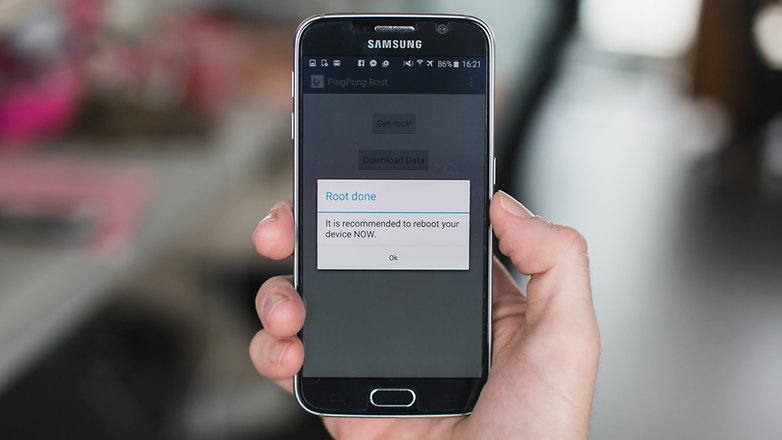
Rooting an Android device refers to the process of gaining full access to the root of the operating system, thereby allowing the user to access all features and functions, including those restricted by the manufacturer. This can be useful for customizing the device, installing custom ROMs, or enhancing performance. However, it comes with certain risks and requires an understanding of several key terms.
Key Terms to Understand
ROM: A ROM is a modified version of Android that can include additional features, different interfaces, performance improvements, or even versions of Android not officially released for a specific phone.
Stock: This refers to the version of Android provided by Google, typically found on Nexus devices, without any manufacturer-imposed interface changes. Some ROMs are based on stock Android, while others are based on the original version that came with the device.
Kernel: The kernel acts as a mediator between software and hardware. Custom kernels are available that can improve performance, battery life, and speed, but they can also cause issues if not handled correctly.
Flash: Flashing involves installing a ROM, kernel, or recovery image to a device, usually via a ZIP file.
Brick: Bricking occurs when a device becomes unresponsive or unusable due to a failed flashing process. In some cases, a bricked device can be repaired.
Bootloader: The bootloader is the lowest-level software that starts the operating system. Most devices have locked bootloaders, preventing the installation of custom recoveries or ROMs.
Recovery: This is the software used for backing up and performing system-level tasks. Default recoveries have limited functionality, but custom recoveries such as ClockworkMod or TWRP offer more control, often used in the rooting process.
Popular Commercial Rooting Tools
Kingo Root: This tool offers a straightforward rooting process that can be used with or without a computer. When used on a computer, USB drivers are required, though Kingo Root can often install them automatically. After connecting the device and initiating the process, the software handles the rest, granting superuser access if the device is supported. The same functionality is available directly on the Android device.
Towelroot: Developed by well-known iPhone hacker Geohot, Towelroot is easy to use. After downloading and installing the app, users tap the Lambda symbol to exploit the kernel, granting temporary system file access. Once the correct files are installed, the device reboots and achieves root access.
Other similar apps, such as Farmaroot, also offer one-click rooting solutions. For users interested in exploring further, upcoming articles will cover essential apps for rooted devices, as well as guidance on jailbreaking iOS devices.
Final Notes
Rooting can provide significant benefits but requires caution. Understanding the associated terminology and tools is crucial before proceeding. Users should carefully research device-specific requirements and potential risks before attempting any rooting method.