How to Locate or Recover a Lost or Stolen Smartphone in Nepal
Key Takeaways
- Register your phone's IMEI number with Nepal Telecommunications Authority (NTA) to enable tracking and blocking
- Use built-in tracking tools like Android's Find My Device or Apple's Find My to locate or lock your phone remotely
- Secure your device with strong screen locks, linked accounts, and lock screen messages to deter thieves and aid recovery
- Contact your telecom provider to block the SIM and reach out to NTA and police for additional support
- Keep purchase bills, warranty cards, and citizenship details ready to facilitate the recovery process
In today’s digital age, smartphones have become central to our lives, storing messages, photos, documents, and even supporting business operations. Losing or having a phone stolen in Nepal can therefore be a major setback. While there is no guaranteed way to recover a lost device, several steps can improve your chances and protect you from further risks.
Preventive Measures
Before a phone goes missing, taking a few precautions can greatly enhance recovery prospects. The most critical step is to register your device’s IMEI number with the Nepal Telecommunications Authority (NTA). The IMEI, a 15-digit unique identifier for GSM/WCDMA phones, allows authorities to track or block your device. You can find your IMEI by dialing *#06# or checking the phone’s settings or packaging. If you purchased the phone locally, it should already be registered, but you can verify and enroll it through the NTA’s Mobile Device Management System (MDMS) website.
For phones imported from abroad, you must submit documents including a passport copy with an immigration stamp, arrival date, purchase bill, model details, ID, and contact information. After submission, NTA will approve the IMEI within approximately two weeks.
In addition to IMEI registration, secure your phone with a strong screen lock such as a PIN, password, pattern, fingerprint, or face recognition. Avoid simple swipe unlocks, as these leave the device vulnerable. For Android users, consider enabling a custom lock screen message that provides a contact number for honest finders. iPhone users can achieve a similar effect by setting a lock screen wallpaper with recovery information or using third-party tools.
Link your phone to an account appropriate for its operating system: a Google account for Android and an Apple ID for iOS. Also, associate this account with your primary phone number to simplify recovery and authentication.
What to Do When Your Phone Goes Missing
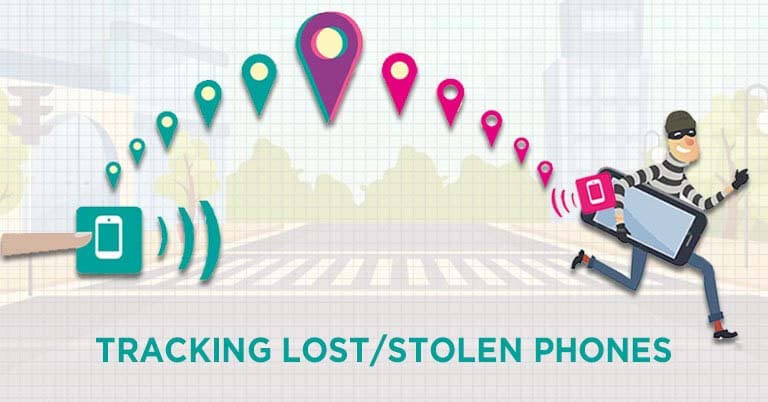
The first step after realizing your phone is lost or stolen is to attempt locating it remotely. For Android devices, go to google.com/android/find and log in with the Google account used on the missing phone, or use the Find My Device app on another Android device. This allows you to view the phone’s last known location, network status, and battery level, and to play a sound, secure, or lock the device. Similar capabilities are available for iOS devices through icloud.com/find or the Find My app, enabling you to play a sound, display a message, lock the device, or erase data entirely.
If tracking attempts fail, the next priority is to block the SIM to prevent unauthorized use. For NTC customers, dial 1415 and provide the security code to block the SIM. For Ncell users, dial 9005 and present citizenship details. Both providers allow you to obtain a new SIM with the same number for a small fee, requiring a visit to their office with citizenship proof.
If you have registered your IMEI with NTA, you can also request assistance through the NTA MDMS portal. NTA will coordinate with telecom providers and Nepal Police to track the device and will contact you once progress is made.
Engaging Law Enforcement
As a final step, you can file a report with local police. In Kathmandu, visit the Metropolitan Police Office in Teku, the only station with a dedicated unit for lost and found mobiles. Elsewhere, go to your district police office. Before visiting, gather necessary documents: citizenship (original or copy), purchase bill or warranty card, and the phone’s original box. You will need to complete an application detailing the phone’s make, model, and IMEI number. Once registered, the device is added to the MDMS blacklist.
Police investigation requires court approval and can be slow, especially if the thief activates a new SIM on the device. You may need to follow up every 15 to 20 days for updates. Note that Kathmandu Police previously maintained a public lost and found database, but this is currently unavailable online.
Important Reminders
Selling or buying a found phone without verifying ownership is now illegal in Nepal. Anyone finding a lost device should either attempt to return it to the owner or hand it over to the nearest police station.
In summary, while recovering a lost or stolen phone in Nepal can be challenging, thorough preparation and prompt action significantly improve your chances. Register your IMEI, use tracking tools early, block your SIM, and involve NTA and police as needed. Keeping key documents handy will also streamline the process.