Essential Factors to Consider When Purchasing a Projector
Key Takeaways
- Understand throw ratio and zoom capabilities to match your space requirements
- Compare projection technologies: DLP offers sharp images but may have color ghosting, LCD provides good color saturation but needs filter maintenance, and LED delivers deep blacks with lower brightness
- Prioritize brightness (measured in ANSI lumens) and contrast ratio for vivid image quality, especially in lit environments or home theaters
- Check resolution options, with Full-HD recommended for movies and gaming, and consider lamp life for frequent use
- Ensure adequate ports and connectivity options, plus interactive and audio features, for a complete projection experience
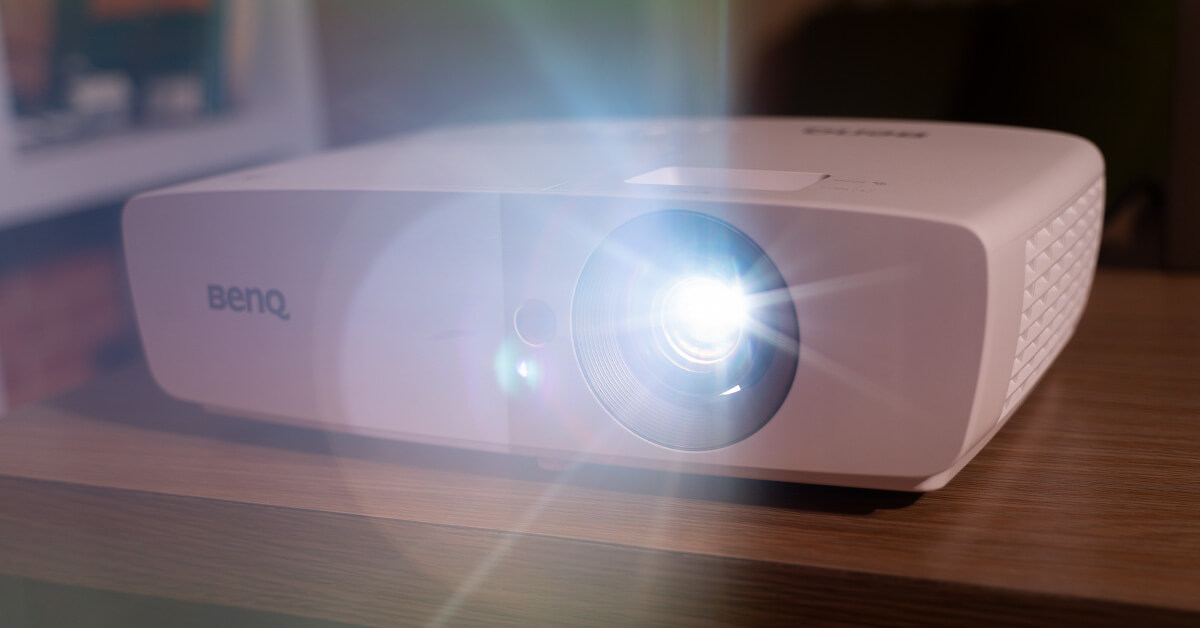
When selecting a projector, several critical factors will influence your experience and satisfaction. Whether you need it for office presentations, classroom lectures, home cinema enjoyment, or large public events, understanding these elements will help you choose the right device for your needs.
Throw Ratio and Zoom The throw ratio measures the distance between the projector and the screen relative to the image size. Short-throw projectors can create large images from a closer distance, ideal for smaller rooms, while long-throw models require more space and suit larger venues. Zoom capability adds flexibility, allowing you to adjust image size without moving the projector, which is particularly useful when space constraints prevent repositioning.
Projection Technology Three main technologies are used in modern projectors. DLP (Digital Light Processing) uses microscopic mirrors to produce images, offering sharp visuals, fast response times, and 3D capability but often includes a color ghosting effect and has a lamp life of 2000 to 5000 hours. LCD (Liquid Crystal Display) projectors, available in single-chip and three-chip variants, provide good color saturation and are commonly found in budget models, though they may require regular filter maintenance and offer less contrast. LED projectors utilize light-emitting diodes for excellent contrast ratios and energy efficiency, with longer lifespans, but typically have lower brightness levels, making them less suitable for well-lit rooms.
Brightness and Contrast Ratio Brightness, measured in ANSI lumens, determines how well a projector performs in lit conditions. Higher lumen ratings produce brighter images, which is essential if you plan to use the projector in rooms with ambient light. Contrast ratio defines the difference between the darkest blacks and brightest whites, enhancing depth and detail in images. While general-use projectors may not require extremely high contrast, home theater installations benefit significantly from a higher ratio for richer, more dynamic visuals.
Resolution and Aspect Ratio Resolution impacts image sharpness, especially on large screens. For standard presentations in classrooms or offices, XGA resolution may suffice. However, for movie watching or gaming, Full-HD resolution is recommended, with 4K Ultra-HD offering the highest clarity for demanding content.
Lamp Life Projector lamps have a finite lifespan, typically lasting between 2000 and 4000 hours before requiring replacement. Frequent users should prioritize models with extended lamp life or consider LED or Laser-LED hybrid projectors, which can last up to 20000 hours. Some projectors, like certain BenQ models, include energy-saving modes that can stretch lamp life significantly by reducing brightness.
Ports and Connectivity A projector’s value depends heavily on its input options. Look for multiple HDMI ports, RS-232 interfaces for control, and MHL or HDCP support for high-quality signal transmission. Modern projectors may also include USB Type-A for direct device connection or wireless dongles, enabling seamless screen sharing from smartphones or laptops via applications like BenQ Qcast.
Controls and Interactive Features User-friendly controls are essential for quick setup and operation. Features such as keystone correction, source selection buttons, and lamp timers improve usability. Interactive tools, like pens that let users draw or highlight points on the projected image, are particularly useful for educational or professional presentations.
Audio Quality If you prefer not to invest in external speakers, verify that the projector includes built-in audio. Quality speakers should deliver clear, crisp sound to enhance your viewing or presentation experience.
By carefully weighing these factors—throw ratio, technology type, brightness, contrast, resolution, lamp life, connectivity, controls, and audio—you can select a projector that aligns perfectly with your environment and usage requirements.