Essential Factors to Consider When Purchasing an SSD for Your PC or Laptop
Key Takeaways
- SSDs significantly boost system performance, but compatibility and interface type are crucial considerations
- M.2 and 2.5-inch SSDs are the most common form factors, with M.2 offering higher speeds when supported
- SATA 3 SSDs start around NPR 5,750 for 120GB, while PCIe SSDs cost more but deliver superior speed and reliability
Solid State Drives (SSDs) are one of the most impactful upgrades you can make for any PC or laptop, breathing new life into older systems. Unlike RAM or CPU upgrades, which may not yield noticeable improvements if your storage is slow, an SSD can dramatically enhance startup times, application loading speeds, and overall system responsiveness.
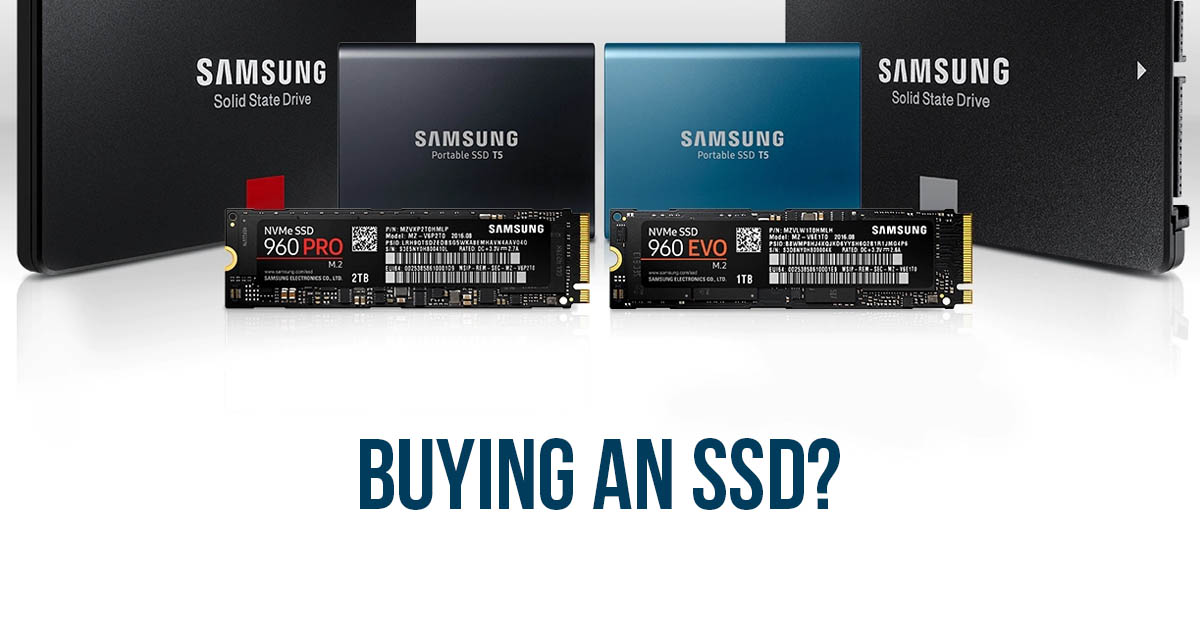
However, not all SSDs are equal, and selecting the right one requires careful consideration of several key factors. First and foremost is compatibility. SSDs aren't simply plug-and-play devices; they need to fit physically inside your computer and match its supported interfaces. The two most common form factors are M.2 and 2.5-inch drives.
M.2 SSDs are ideal for newer systems that support this compact form factor. However, M.2 comes in several lengths (80mm, 60mm, 42mm, and others), so you must verify which size your system accommodates, either by checking the user manual or opening the case. The 80mm variant is the most widely available and reliable, though not the cheapest.
For older PCs and laptops that don’t support M.2, a 2.5-inch SSD is the universal solution. Most laptops already house a 2.5-inch hard drive that can be swapped out, and desktops typically have space for this size. If space is limited, adapter brackets can convert a 2.5-inch drive to fit a 3.5-inch bay.
Next, decide between SATA 3 and PCIe interfaces. SATA 3 SSDs, starting at around NPR 5,750 for 120GB, are widely available and affordable. They offer roughly double the speed of traditional hard drives. PCIe SSDs, however, operate at up to 31.5 Gbit/s and provide substantially higher performance, costing roughly NPR 12,500 for 256GB. While PCIe offers better speed and reliability, SATA 3 remains a solid budget-friendly option if your system supports it.
When budgeting, keep in mind that prices rise with capacity and technology. For example, a 480GB SATA 3 M.2 SSD may cost around NPR 18,750, whereas a 512GB PCIe NVMe M.2 SSD can exceed NPR 21,875.
After purchasing, the most effective way to utilize your SSD is to install your operating system on it. Simply using it as fast storage won’t unlock its full potential. For Windows users, reinstalling the OS on the SSD ensures optimal performance. If you have a genuine Windows license, activation is handled automatically by the BIOS.
In Nepal, SSDs are increasingly accessible through online retailers like Daraz and SastoDeal, as well as local computer shops and marketplaces such as HamroBazar, which offer both new and used options. While opening a laptop to install an SSD may void its warranty, the performance gains are often worth the effort.
Ultimately, an SSD is one of the best upgrades you can make, delivering immediate noticeable improvements to your computer’s speed and responsiveness.